


Online application
Important points about online applications

24 hours a day
Eligible to apply
As long as you have access to the Internet, you can submit your application at any time.

Easily with your smartphone
Eligible to apply
Without having to handwrite the application,
You can easily apply via smartphone.
Online application process
- STEP 1Preparation
- STEP 2Register your My Page
- STEP 3: Register various information
- STEP 4 My Page Password Setting
- STEP 5 Payment of selection fee
- STEP 6: Sending documents by post
- STEP 7 Exam
- STEP 8Check the result
STEP 1Preparation

Check your internet connection
Please prepare a computer, smartphone, or tablet connected to the Internet.

Prepare an available email address
This is required to register your My Page.
We will also send important notifications to the address you registered.

Preparation of documents to be attached and sent
Documents to be sent by post may take time to be issued, so please prepare them as much as possible in advance of your application.
Attachment (example): Photo of faceDocuments to be sent (example): High school report, recommendation letter, dormitory application form *For those who wish to live in a student dormitory
STEP 2Register your My Page
-
Step 1
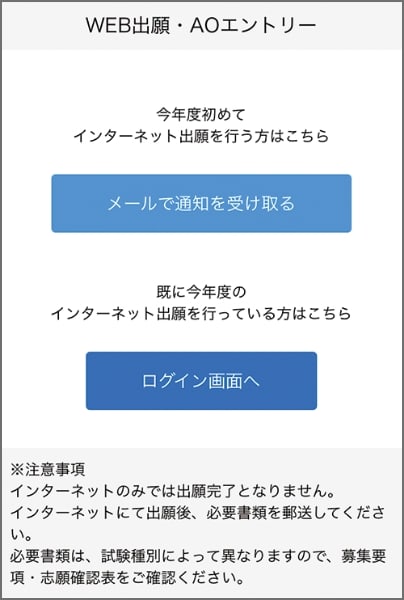
Access the application page via the web application/web AO entry page and select the "Receive notification by email" button.
-
Step 2
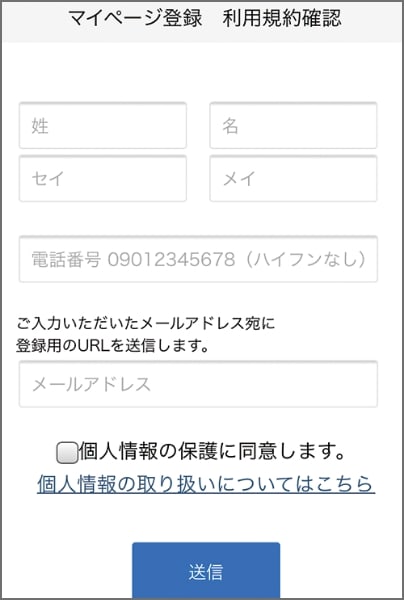
Please enter your name, phone number, and email address.
-
Step 3
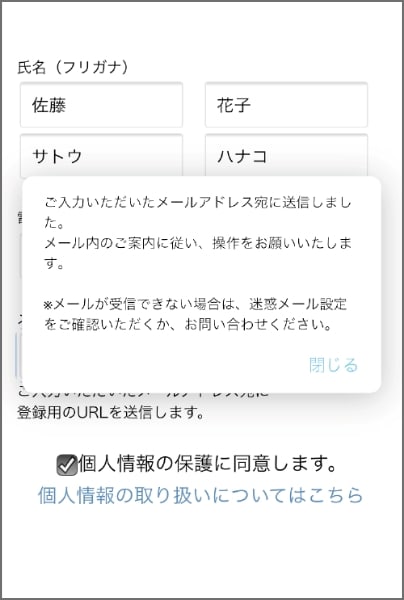
An email will be sent to the email address you entered.
-
Step 4
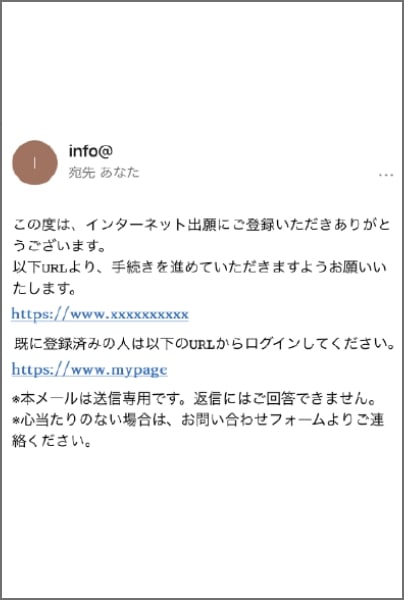
Please click on the URL in the "Temporary Registration Completion Notification" email that will be sent to the email address you entered to complete your registration.
STEP 3: Register various information
-
Step 1
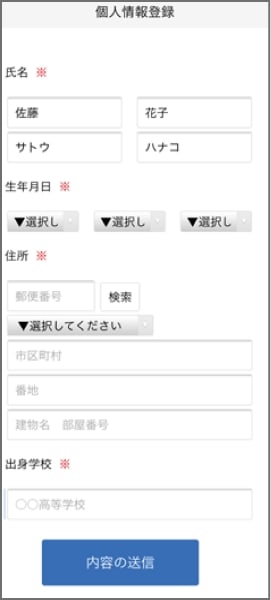
Enter personal details
Please enter your address, date of birth, etc. -
Step 2
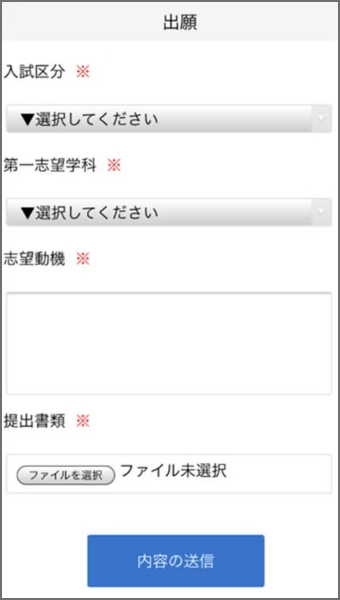
Follow the instructions on the screen to complete the input items. You will need to attach documents to submit, so please prepare them.
A notification will be sent to the email address you registered, so please follow the instructions.
STEP 4 My Page Password Setting
-
Step 1
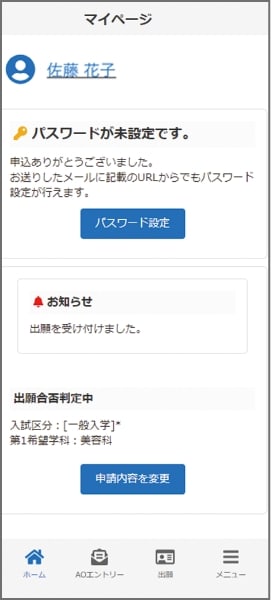
Select the "Set Password" button.
-
Step 2
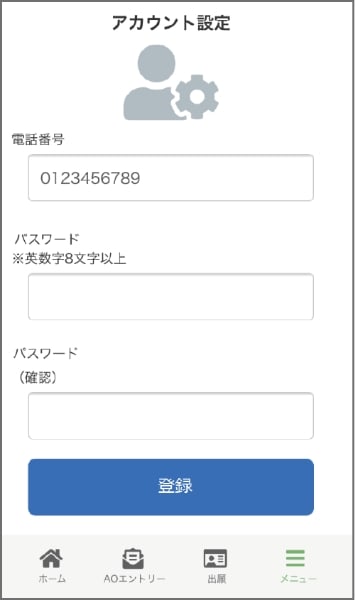
Please set a password that is 8 or more alphanumeric characters long.
STEP 5 Payment of selection fee
If you wish to register your application, please pay by one of the following methods:

Bank transfer
Please make the payment at any financial institution counter nationwide.

Bank transfers via ATMs at convenience stores, etc.
Please transfer the amount via ATMs located nationwide.
STEP 6: Sending documents by post
Please place the documents listed on your My Page in an envelope and mail them to the address below by registered mail or express mail from your post office during the application period. (Must arrive within the application period.)
Sapporo Sweets & Cafe College
〒060-0061
Sapporo, Hokkaido, Japan
STEP 7 Exam
Selection or examinations will be conducted on an ongoing basis, depending on the application method selected.
We will send you your examination ticket by mail, so please be sure to bring it with you on the day of the exam.

STEP 8Check the result
You will be notified by mail regarding the results.
Successful applicants will be sent a letter of acceptance and the necessary documents for enrollment.