



Online application: AO entry process
Advance preparation

Check your internet connection
Please prepare a computer, smartphone, or tablet connected to the Internet.

Prepare an available email address
This is required to register your My Page.
We will also send important notifications to the address you registered.
My Page Registration
- Step 1
-
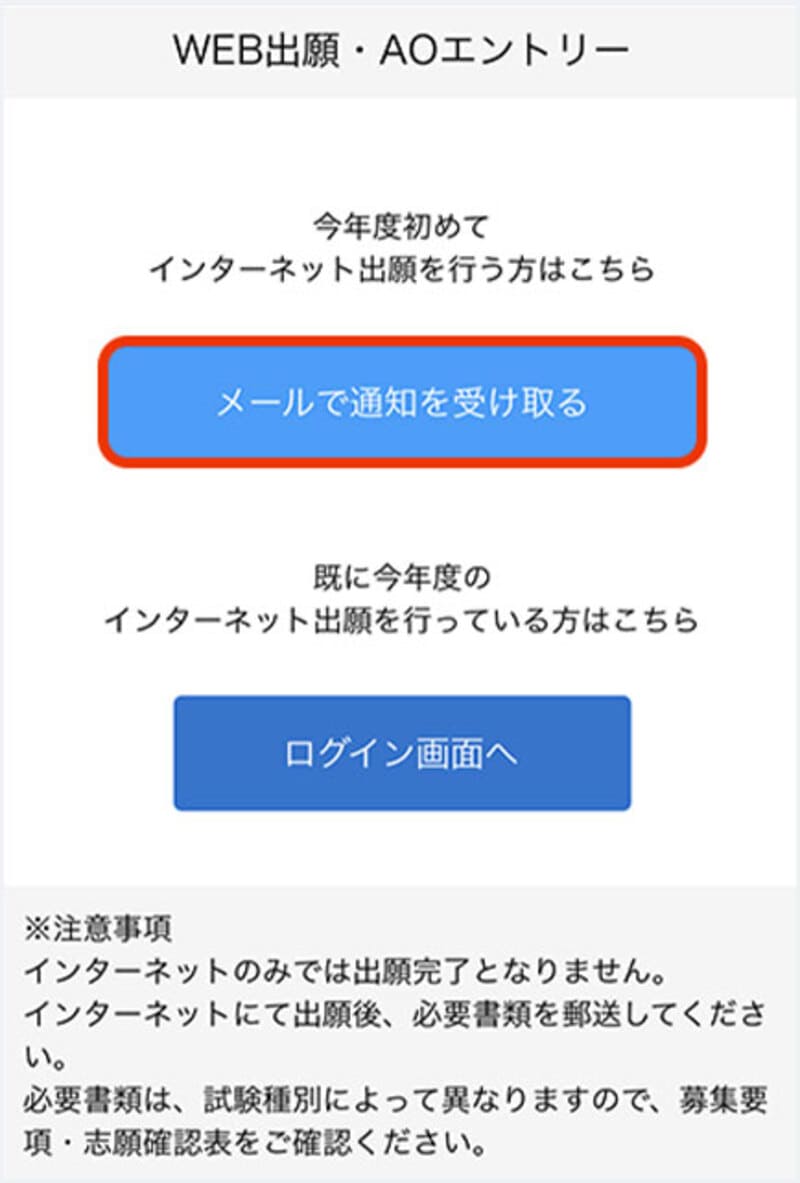
Access the application page via the web application/web AO entry page and select the "Receive notification by email" button.
- Step 2
-
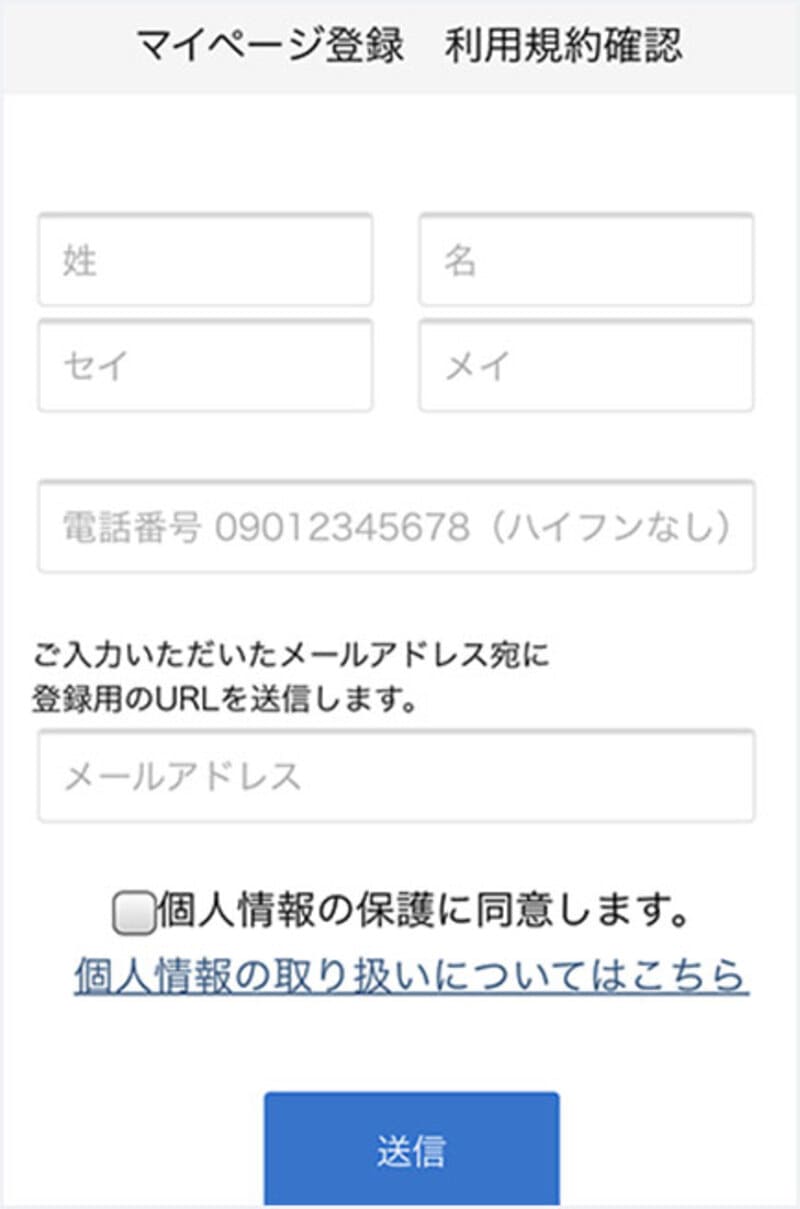
Please enter your name, phone number, and email address.
- Step 3
-
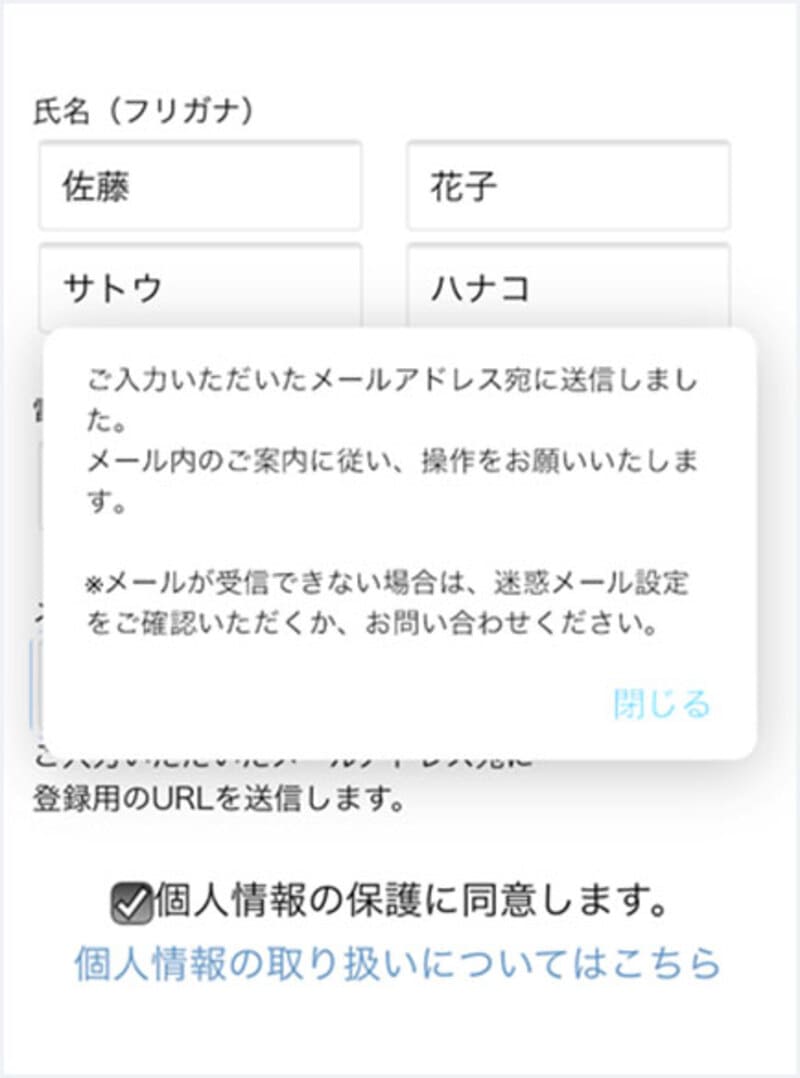
An email will be sent to the email address you entered.
- Step 4
-
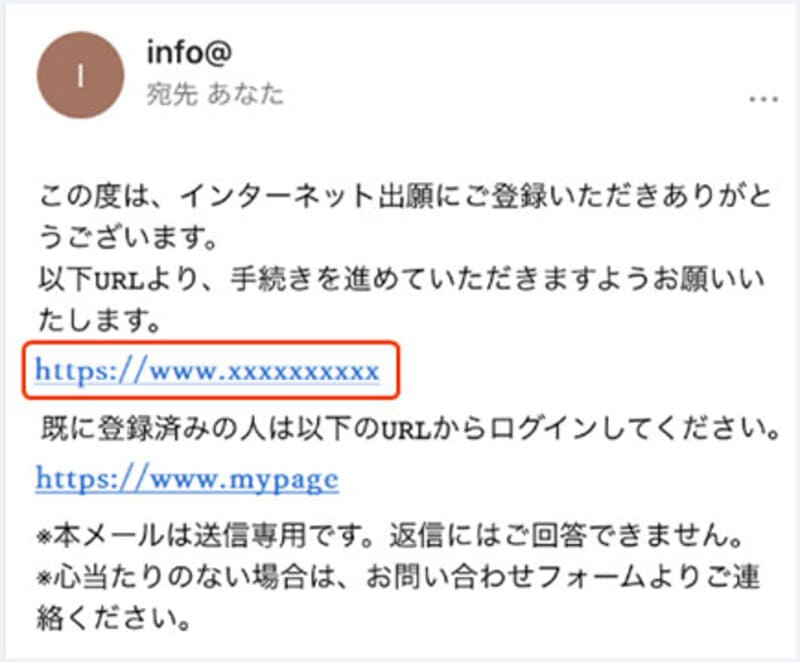
Please click on the URL in the "Temporary Registration Completion Notification" email that will be sent to the email address you entered to complete your registration.
Various Information Registration
- Step 1
-
Enter personal details
Please enter your address, date of birth, etc.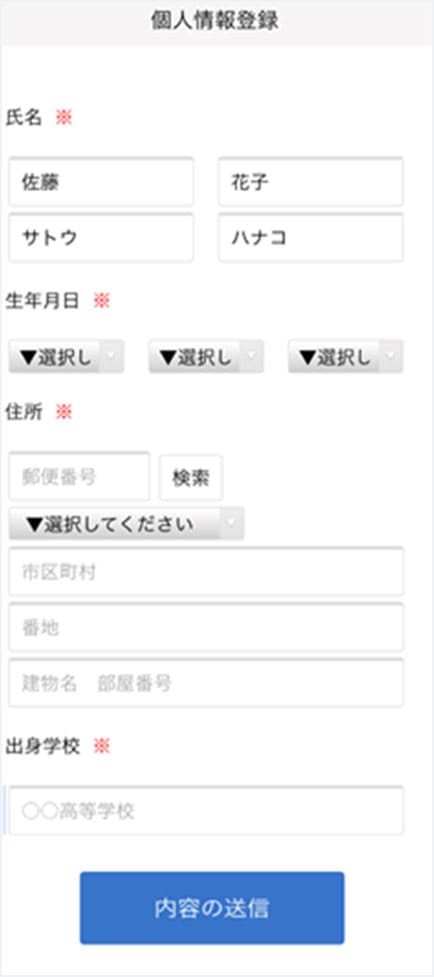
- Step 2
-
Please complete the required fields by following the on-screen instructions.
AO Entry Registration
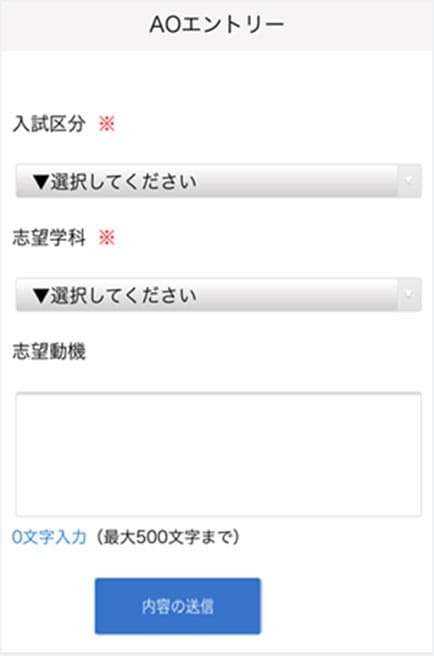
A notification will be sent to the email address you registered, so please follow the instructions.
My Page Password Setting
- Step 1
-
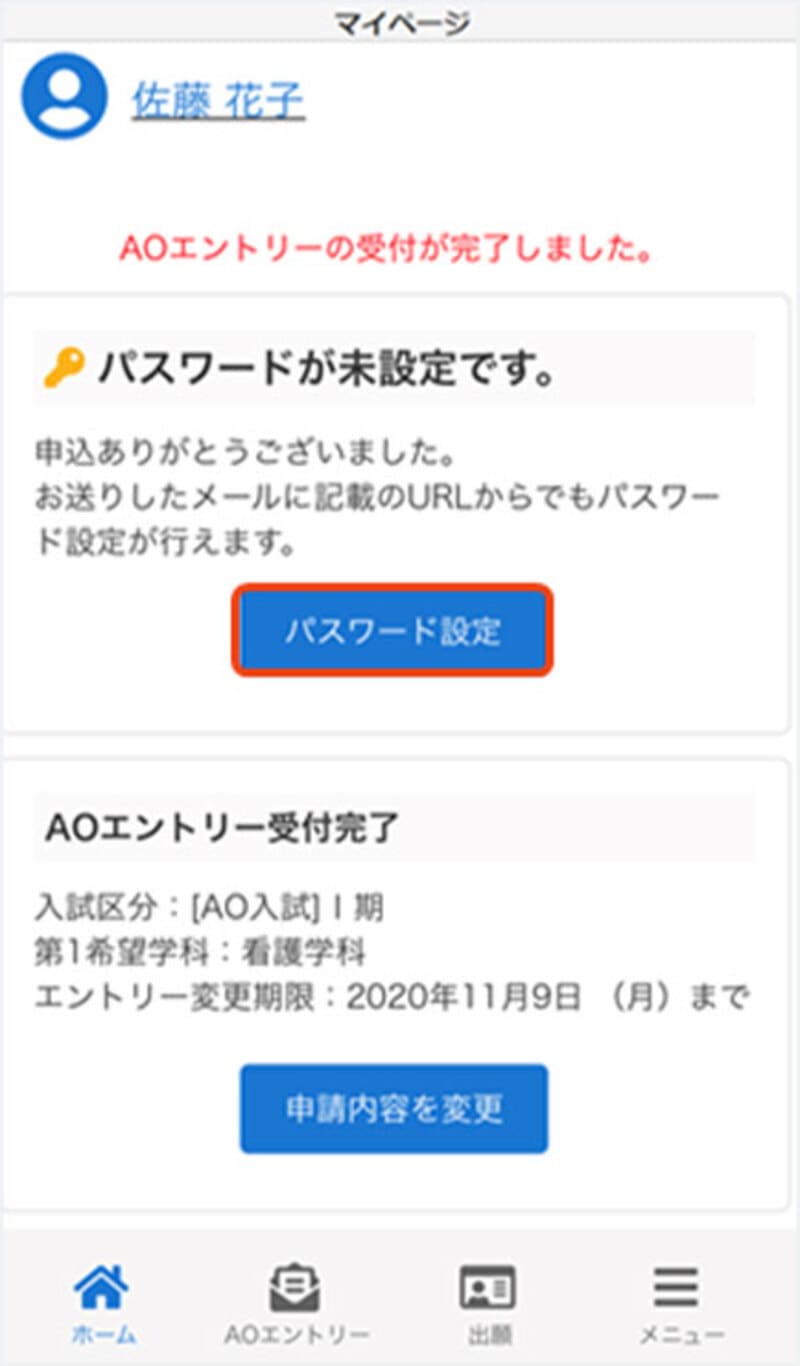
Select the "Set Password" button.
- Step 2
-
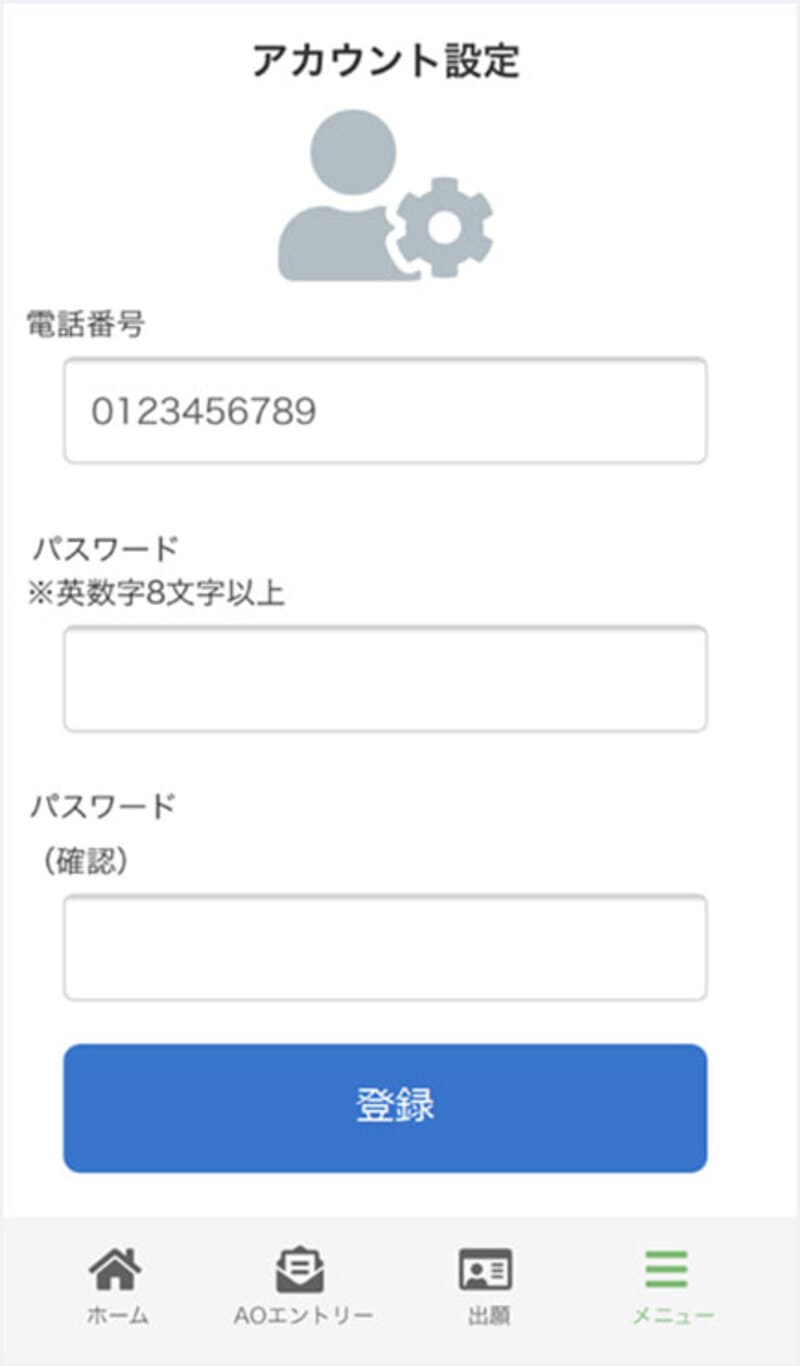
Please set a password that is 8 or more alphanumeric characters long.
WEB AO Entry
We will conduct an interview or assign you an assignment.
After the interview or assignment, those who meet the application requirements for AO admission will receive a special AO application permit by mail at a later date.
-
Below is the procedure for applying online after submitting your WEB AO entry.
A selection fee is required when applying online, so please check our school's recruitment requirements for details.
Application registration after WEB AO entry
- Step 1
-
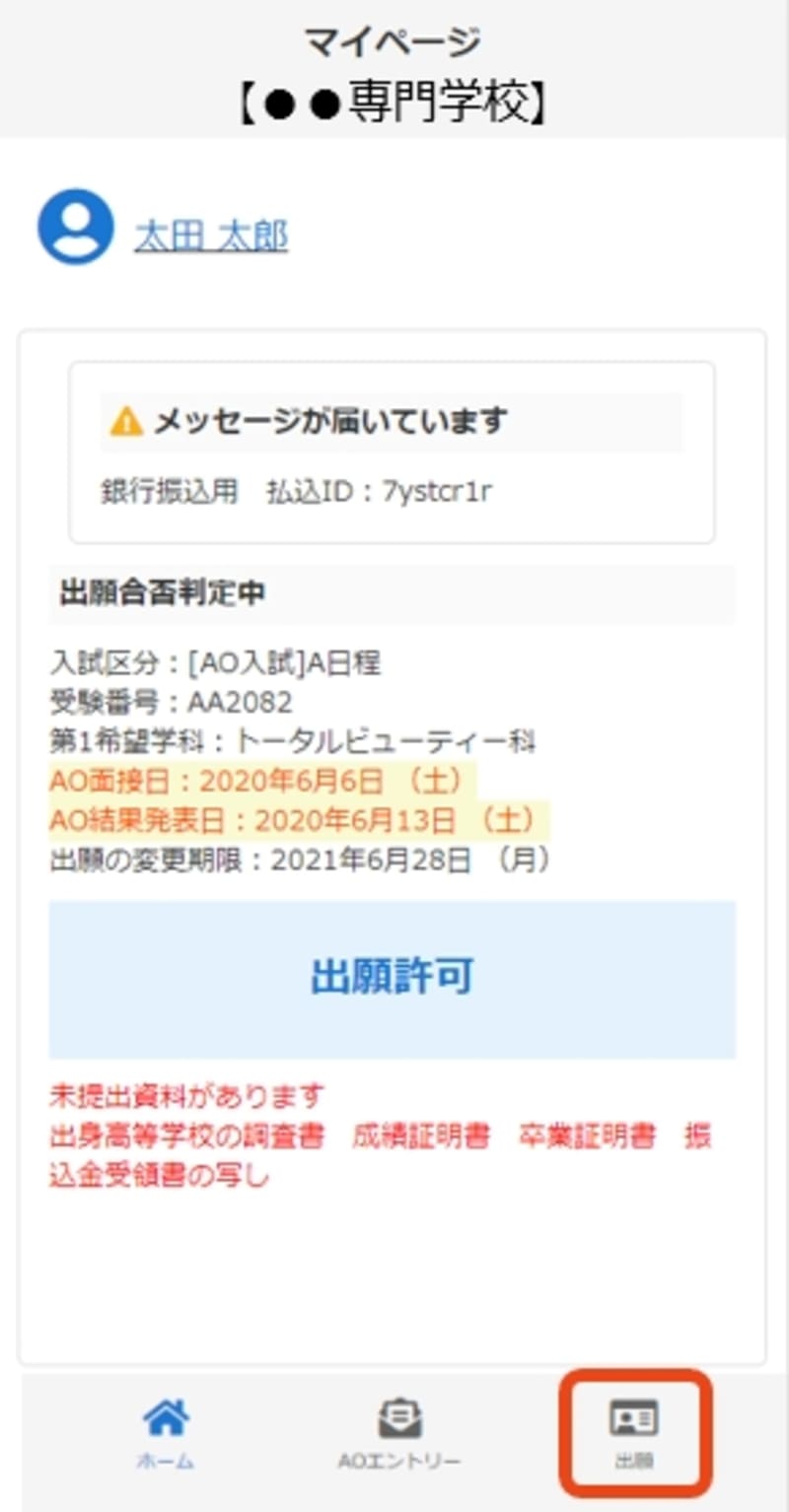
Once permission to apply is displayed, please apply by clicking "Apply."
- Step 2
-
画面の指示に従って入力項目を完了させてください。
提出書類の添付が必要になりますのでご準備ください。Application registration
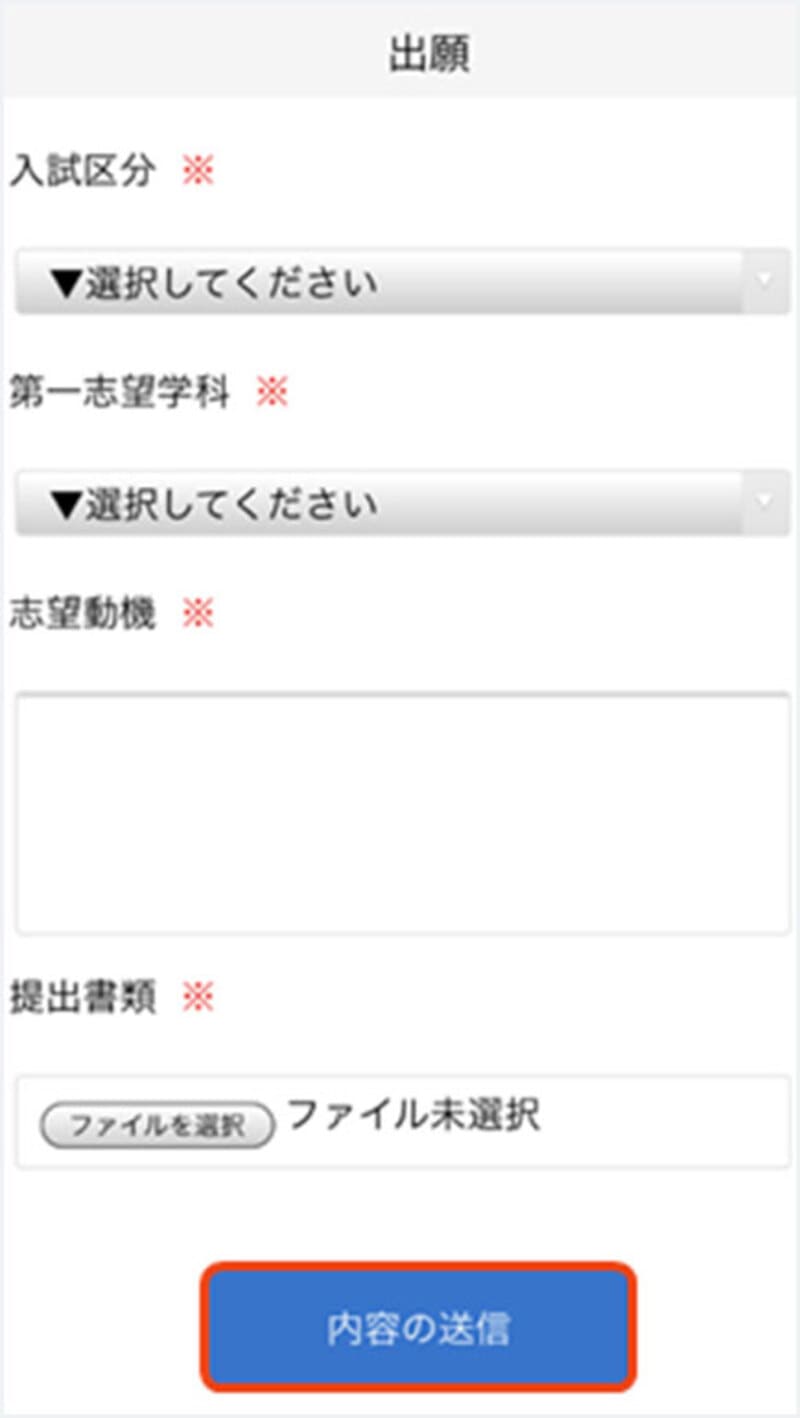
A notification will be sent to the email address you registered, so please follow the instructions.
Payment of the selection fee
If you are applying online, please pay by one of the following methods.

Bank transfer
Please make the payment at any financial institution counter nationwide.

Bank transfers via ATMs at convenience stores, etc.
Please transfer the amount via ATMs located nationwide.
Mailing of documents

Place the documents you wish to submit, as listed on your My Page, in an envelope and mail it to the address below via registered mail or express mail from your post office during the application period.
- Applications must arrive within the application period.
-
Send to:
〒732-0055
12-2 Higashikaniyacho, Higashi-ku, Hiroshima City, Hiroshima Prefecture
Hiroshima Resort & Sports College
Examination (※Only for those applying for the scholarship program)

We will send you your examination ticket.
Please be sure to bring your examination ticket with you on the day of the exam.
Checking the results

合否に関しては郵送にて通知致します。
合格者には、合格通知書及び入学に必要な書類をお送りいたします。