Every lesson you learn will lead to future​ ​expressions of gratitude | Sanko Gakuen Tokyo Future University of Welfare & Nursery College

Everything we learn will lead to the future of childcare and welfare.

For enquiries about our school please contact us here

Open Campus

OPEN CAMPUS

2026

Key points for WEB AO entry

  • POINT

    01

    24 hours a day
    AO entry possible

    In an environment where you can connect to the internet
    If applicable, you can apply through the AO (Admissions Office) application process at any time.

  • POINT

    02

    AO entry is easy via smartphone

    Easy to use with your smartphone
    AO entry is possible

    You can use your smartphone without having to write by hand.
    You can easily apply through the AO (Admissions Office) application process.

Advance preparation

  • POINT

    01

    Check your internet connection

    Check your internet connection

    Connected to the Internet
    Computers, smartphones, and tablets
    Please prepare it.

  • POINT

    02

    Prepare an available email address

    Available
    Prepare your email address

    It is necessary to register for My Page.
    Deliver important notifications to your address.

AO Entry Process

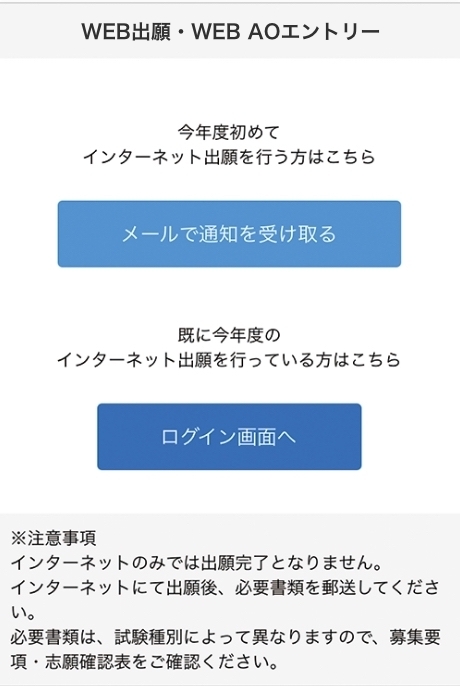
  • My Page Registration
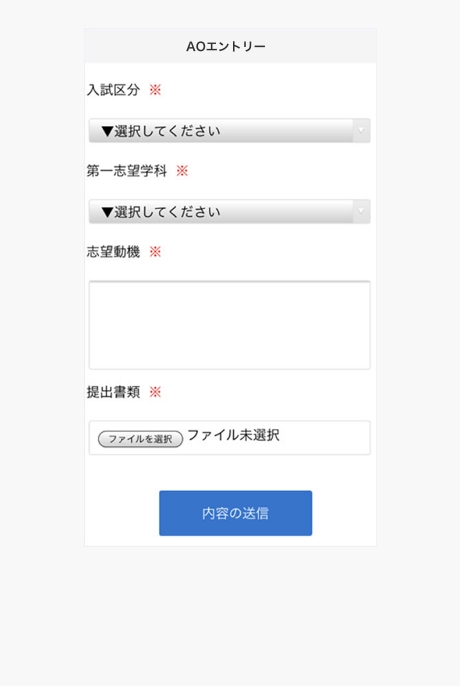
    Online application / Online AO entry
    Access from this page
    death,
    “Receive notifications by email”
    Select the "Take" button.

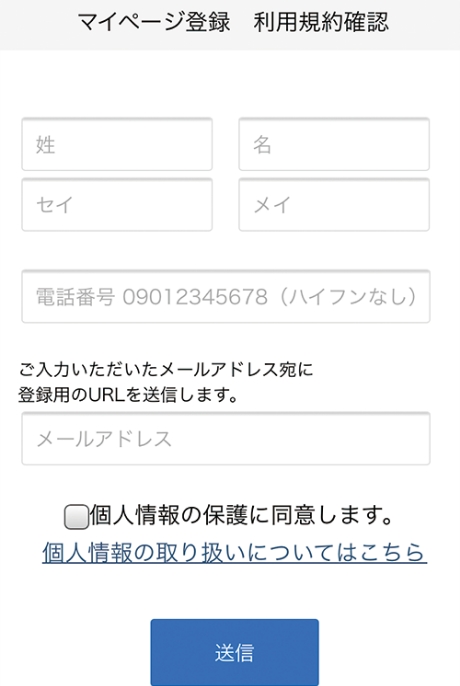
    Name, phone number, email address
    Dress
    Please enter.

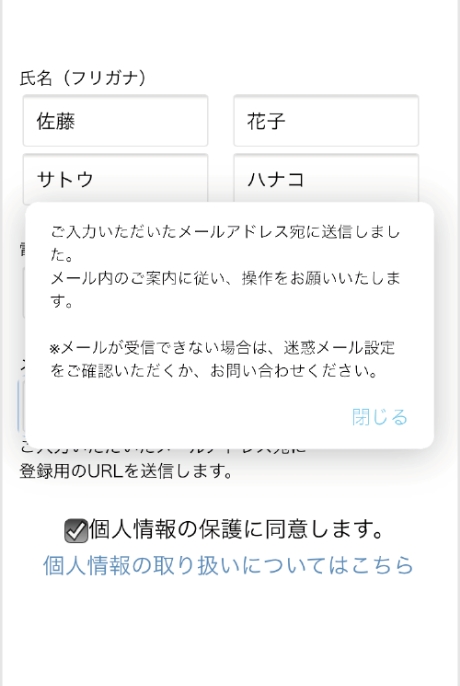
    To the email address you entered
    To
    An email will be sent.

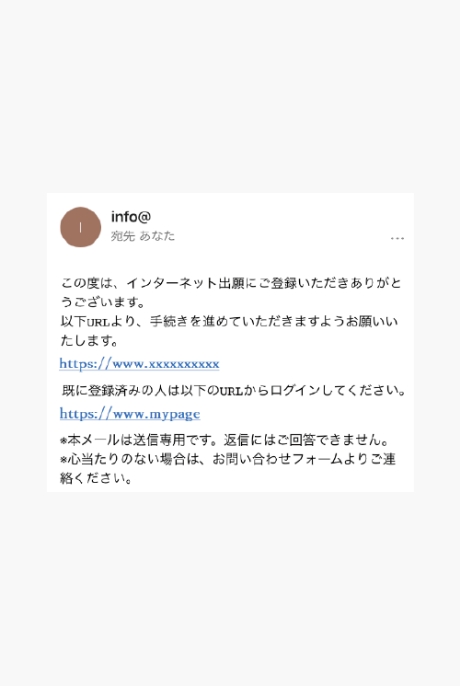
    To the email address you entered
    reach
    Notification of provisional registration completion
    In the email
    Click on a URL
    Click to complete registration
    Let
    Please.

  • Various Information Registration

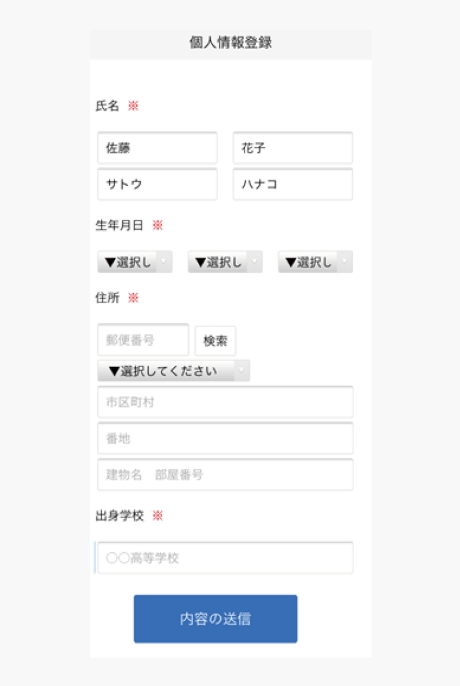
    Enter personal details
    Enter your address, date of birth, etc.
    Please do.

    Follow the on-screen instructions to complete the input fields.
    Please let me.

    *A notification will be sent to the registered email address, so please follow the instructions.

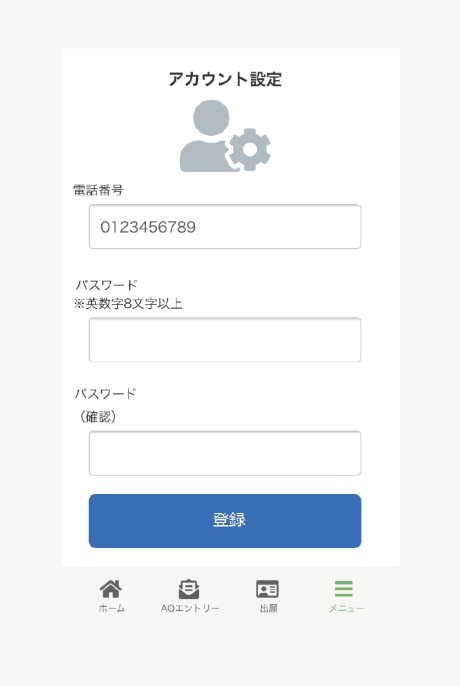
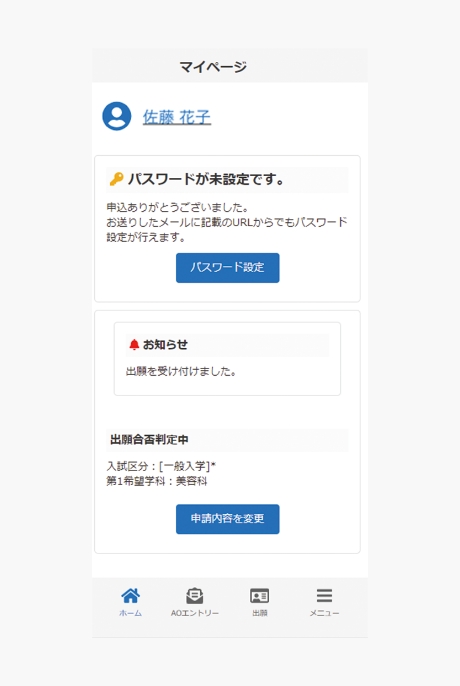
  • My Page Password Setting

    Click the "Password setting" button.
    Select.

    A password of 8 or more alphanumeric characters
    Please set it.

WEB AO Entry

The interview will be conducted or submitted.
Selection will be based on the assigned tasks.

The above is
Here's the process for applying via the web!

The result of the WEB AO entry will be registered on My Page.
The results will be posted on the exam schedule list.

The following outlines the web application process after receiving permission to apply via WEB AO entry.
Yes, it will.
A selection fee is required for online applications.
Please refer to our school's application guidelines for details.

Registration of application after WEB AO entry application approval

When the application permission is displayed
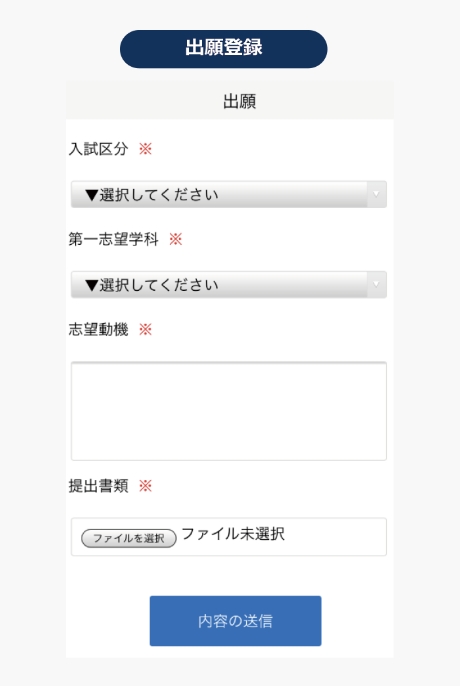
From "Application"
Please apply.

Follow the on-screen instructions to complete the fields
Please attach the documents to be submitted.
Please prepare it as you will need it.

*A notification will be sent to the registered email address, so please follow the instructions.

  • Payment of the selection fee (if you are applying)

    If your application is registered,
    Please pay using one of the following methods:

    Bank transfer

    Please make the payment at any financial institution counter nationwide.

    Bank transfers via ATMs at convenience stores, etc.

    Nationwide
    Please transfer the amount from the ATM machine provided.

  • Mailing of documents

    Place the required documents listed on your My Page into an envelope.
    Applications can be submitted through the post office counter within the application period.
    Registered mail, express delivery
    Please mail it to the address below.
    (Applications must arrive within the application period)

    2-30-6 Ayase, Adachi-ku, Tokyo 120-0005

Examination (※Only for those applying for the scholarship program)

We will send you an admission ticket by mail, so please prepare it on the day of the exam.
Please be sure to bring your examination ticket with you.

Checking the results

You will be notified by mail regarding the results.

Job Hunting Support

Learn more

Departments and tuition fees

Learn more