Everything you learn will lead to the future of childcare and welfare. | Sanko Gakuen Tokyo Future University of Welfare & Nursery College

Everything we learn will lead to the future of childcare and welfare.

For enquiries about our school please contact us here

ENTRY

01

WEB AOエントリー

Information on WEB AO Entry

Open Campus

OPEN CAMPUS

2026

Key points for WEB AO entry

  • POINT

    01

    24 hours a day
    AO entry possible

    In an environment where you can connect to the Internet
    If so, you can apply at any time.

  • POINT

    02

    AO entry is easy via smartphone

    Easy to use with your smartphone
    AO entry is possible

    You can fill out the application form on your smartphone instead of by hand.
    It's easy to apply.

Advance preparation

  • POINT

    01

    Check your internet connection

    Check your internet connection

    Connected to the Internet
    Computers, smartphones, and tablets
    Please prepare it.

  • POINT

    02

    Prepare an available email address

    Available
    Prepare your email address

    It is necessary to register for My Page.
    Deliver important notifications to your address.

AO Entry Process

  • My Page Registration
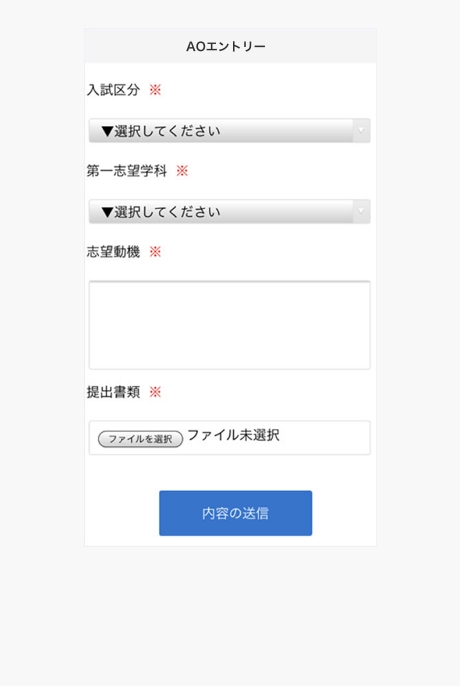
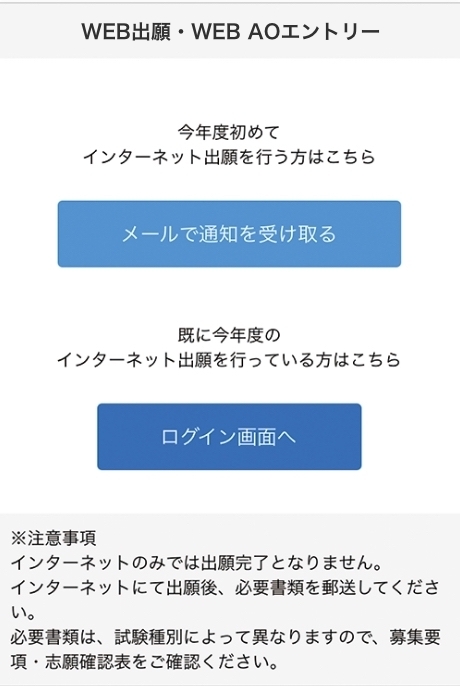
    WEB AO Entry WEB
    Application
    Access from the page
    death,
    "Notified by email
    Select the “Get” button.

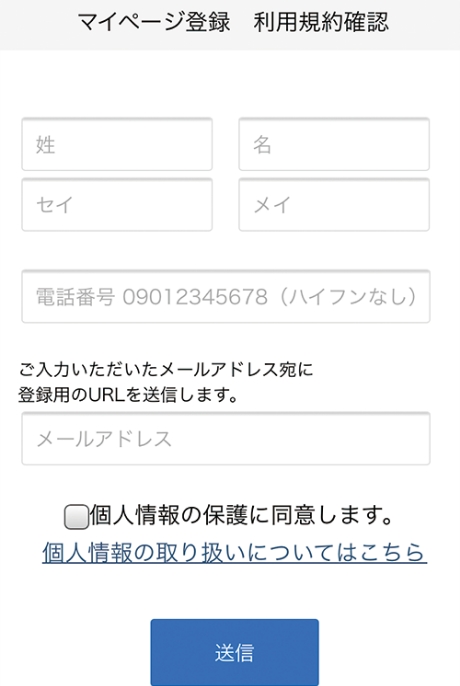
    Name, phone number, email address
    Dress
    Please enter.

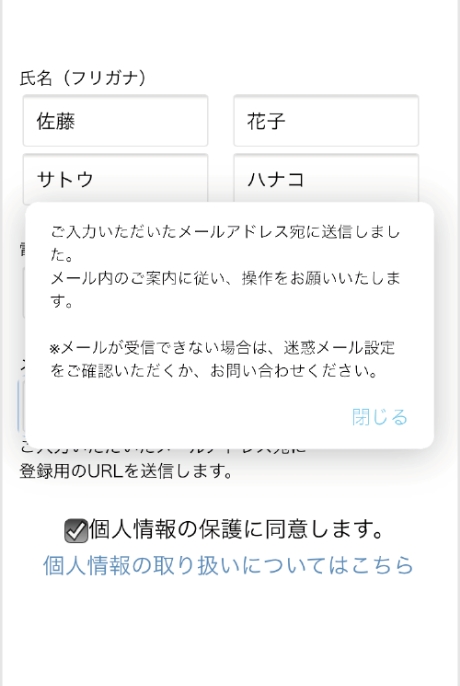
    To the email address you entered
    To
    An email will be sent.

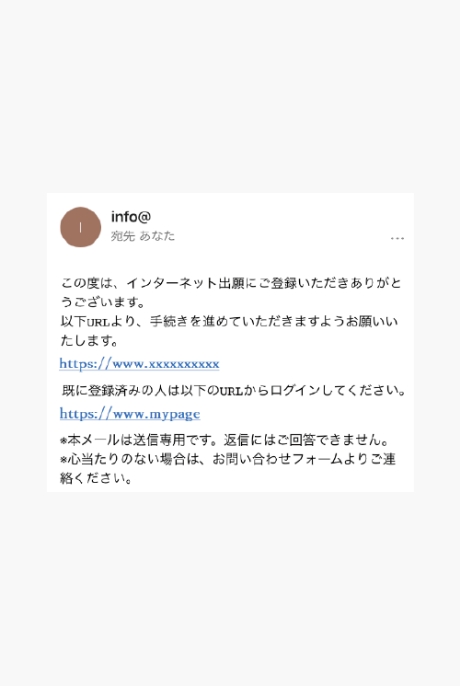
    To the email address you entered
    reach
    Notification of provisional registration completion
    In the email
    Click on a URL
    Click to complete registration
    Let
    Please.

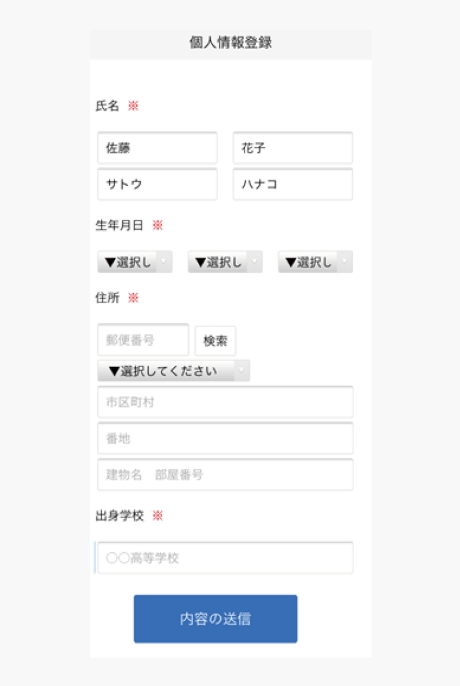
  • Personal information registration

    Enter personal details
    Enter your address, date of birth, etc.
    Please do.

    Follow the on-screen instructions to complete the fields
    Please attach the documents to be submitted.
    Please prepare it as you will need it.

    *A notification will be sent to the registered email address, so please follow the instructions.

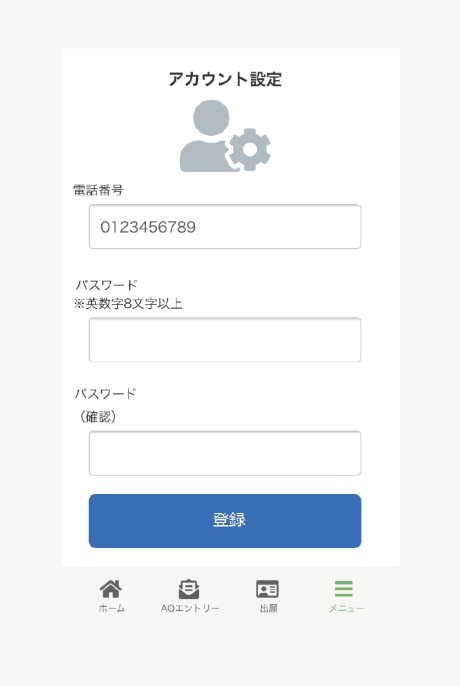
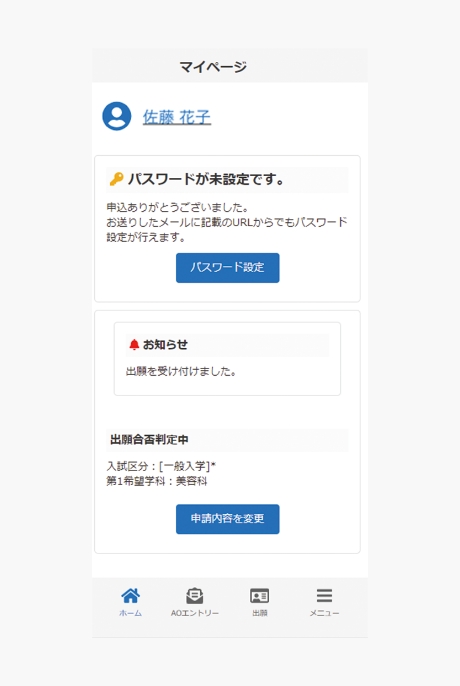
  • My Page Password Setting

    Click the "Password setting" button.
    Select.

    A password of 8 or more alphanumeric characters
    Please set it.

Examination (at the time of WEB AO entry)

We will send you an admission ticket by mail, so please prepare it on the day of the exam.
Please be sure to bring your examination ticket with you.

The above is
This is the procedure for WEB AO entry!

The result of the WEB AO entry will be registered on My Page.
The results will be posted on the exam schedule list.

The following is the procedure for applying online after your WEB AO Entry application is approved.
It will be.
Since the examination fee is required for online applications,
For details, please check the school's recruitment requirements.

Registration of application after WEB AO entry application approval

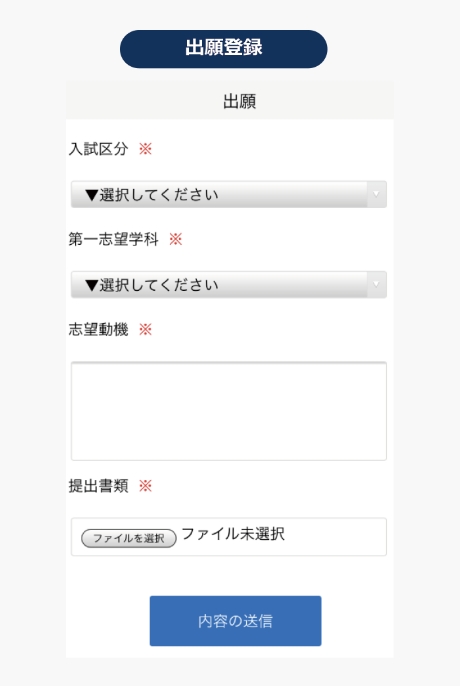
When the application permission is displayed
From "Application"
Please apply.

Follow the on-screen instructions to complete the fields
Please attach the documents to be submitted.
Please prepare it as you will need it.

*A notification will be sent to the registered email address, so please follow the instructions.

  • Payment of the examination fee (if applying)

    If your application is registered,
    Please pay using one of the following methods:

    Bank transfer

    Please make the payment at any financial institution counter nationwide.

    Transfer from a convenience store ATM

    Nationwide
    Please transfer the amount from the ATM machine provided.

  • Mailing of documents

    Place the documents listed on your My Page in an envelope.
    AO entry/Application period: At a post office counter
    By registered mail or express mail
    Please send it by mail to the address below.
    (AO entry/must arrive within the application period)

    2-30-6 Ayase, Adachi-ku, Tokyo 120-0005

Examination (at the time of application)

We will send you an admission ticket by mail, so please prepare it on the day of the exam.
Please be sure to bring your examination ticket with you.

Checking the results

You will be notified by mail regarding the results.
(The result of the WEB AO entry will be displayed on the registered exam on My Page.
The results will be posted on the schedule list.)

Job Hunting Support

Learn more

Departments and tuition fees

Learn more