
Key points for WEB AO entry
Point 1
AO entry available 24 hours a day
You can apply for the AO (Admissions Office) program anytime, as long as you have an internet connection.

Point 2
AO entry is easy via smartphone
You can easily apply for AO (Admissions Office) entry using your smartphone without having to write anything by hand.

Advance preparation
Step 1
Check your internet connection
Please prepare a computer, smartphone, or tablet connected to the Internet.

Step 2
Prepare an available email address
This is required to register your My Page.
We will also send important notifications to the address you registered.

AO Entry Process
My Page Registration
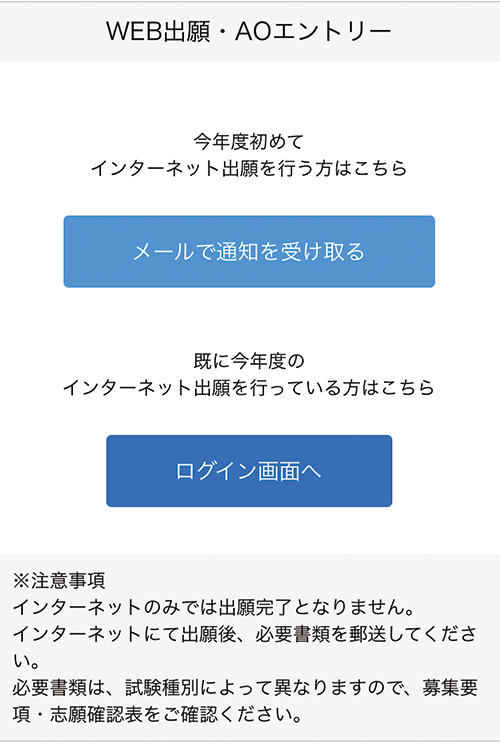
Access the application page via the web application/web AO entry page and select the "Receive notification by email" button.
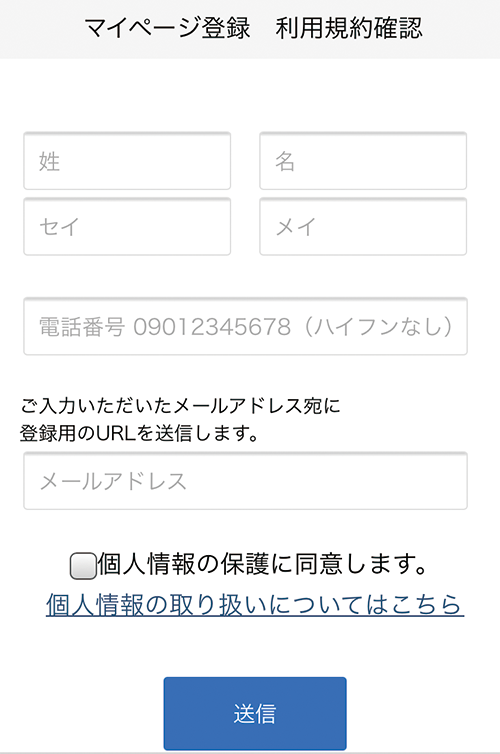
Please enter your name, phone number, and email address.
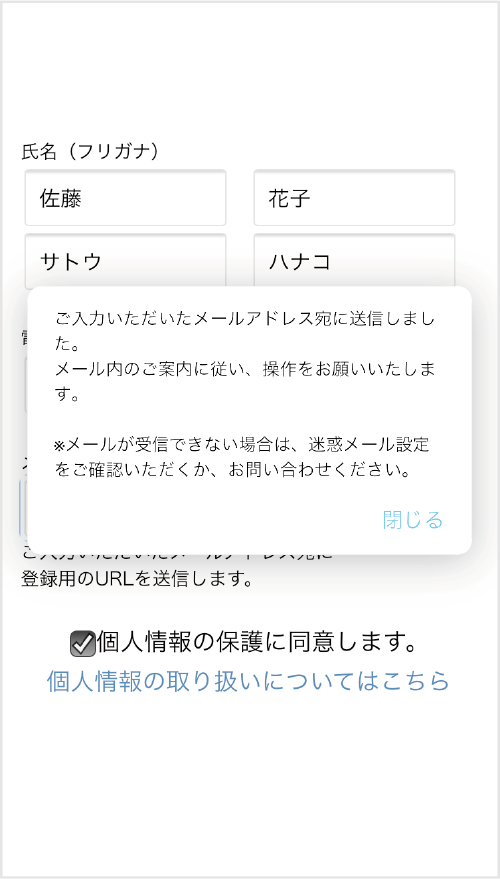
An email will be sent to the email address you entered.
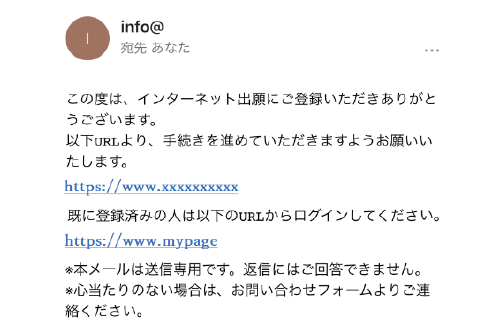
Please click on the URL in the "Temporary Registration Completion Notification" email that will be sent to the email address you entered to complete your registration.
Various Information Registration
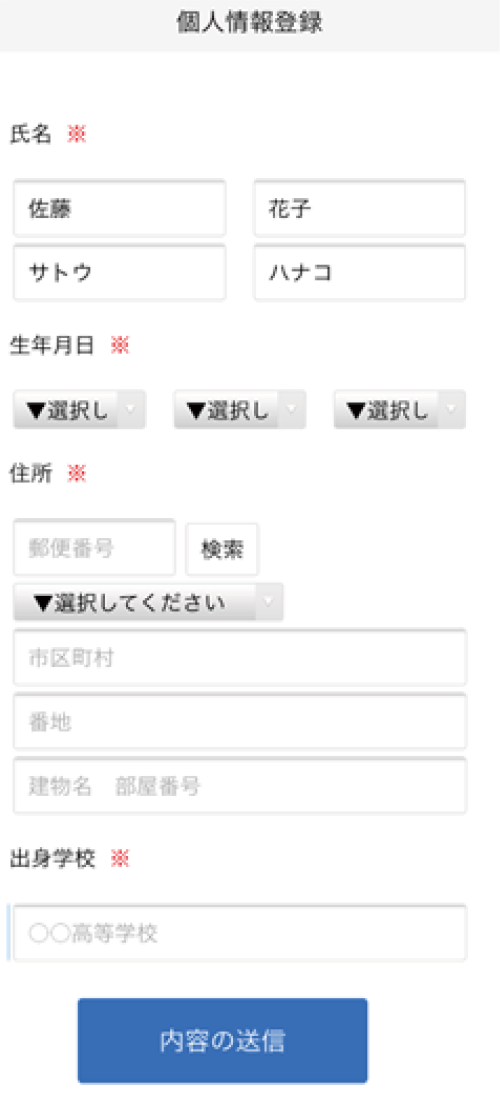
Enter personal details
Please enter your address, date of birth, etc.
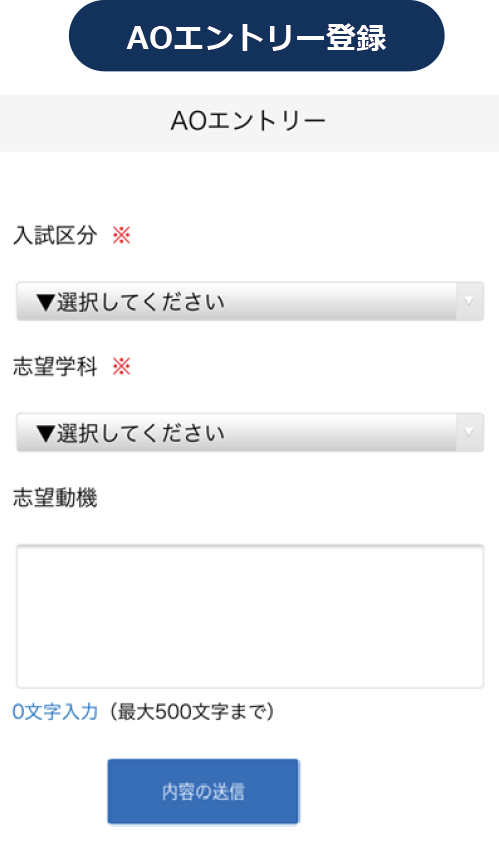
Follow the instructions on the screen to complete the input items. You will need to attach documents to submit, so please prepare them.
*A notification will be sent to the registered email address, so please follow the instructions.
My Page Password Setting
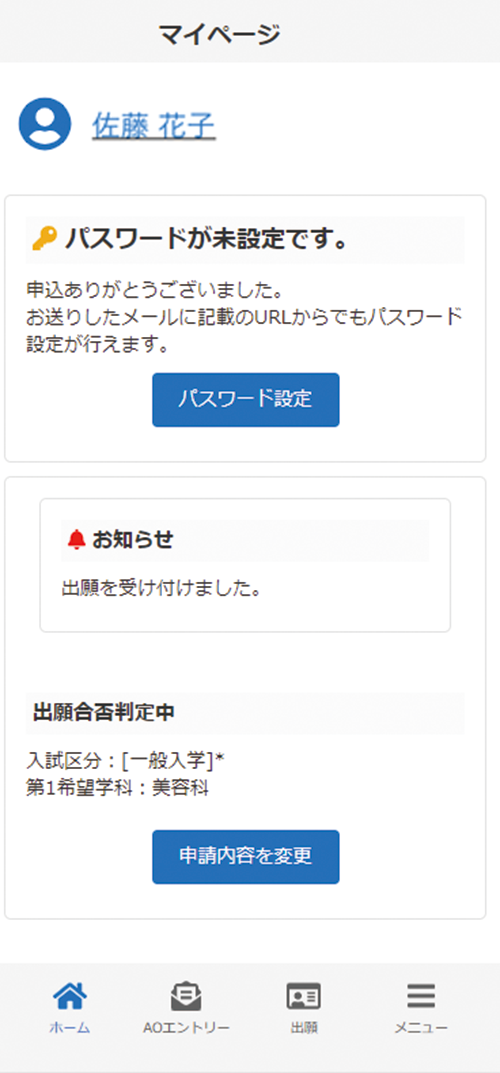
Select the "Set Password" button.
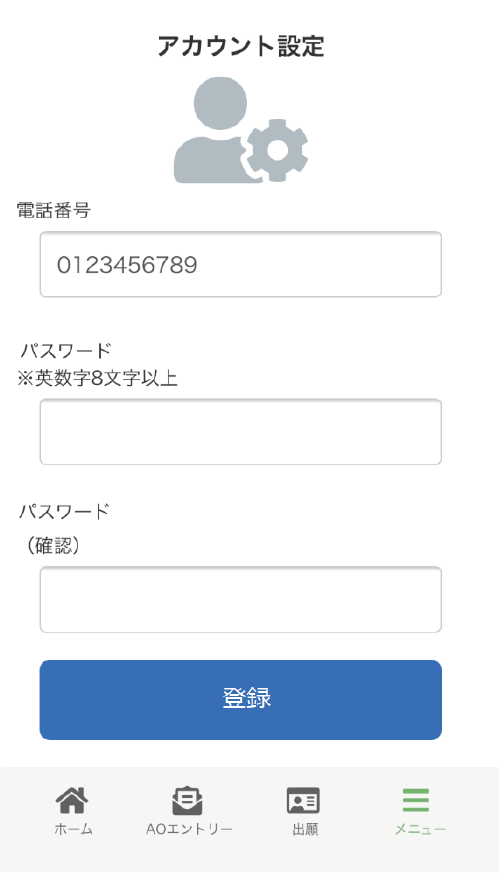
Please set a password that is 8 or more alphanumeric characters long.
WEB AO Entry
An interview will be conducted.
以上が、WEB AOエントリーの流れになります。
面談を実施後、AO入学の出願要件を満たす者には、後日郵送にてAO出願要件確認票を送付いたします。
Below is the procedure for online application after WEB AO entry.
Application registration after WEB AO entry
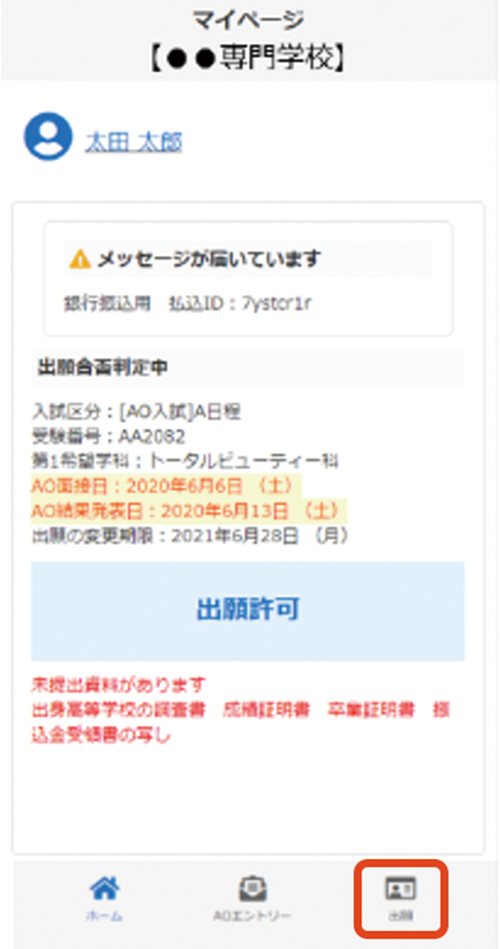
Once permission to apply is displayed, please apply by clicking "Apply."
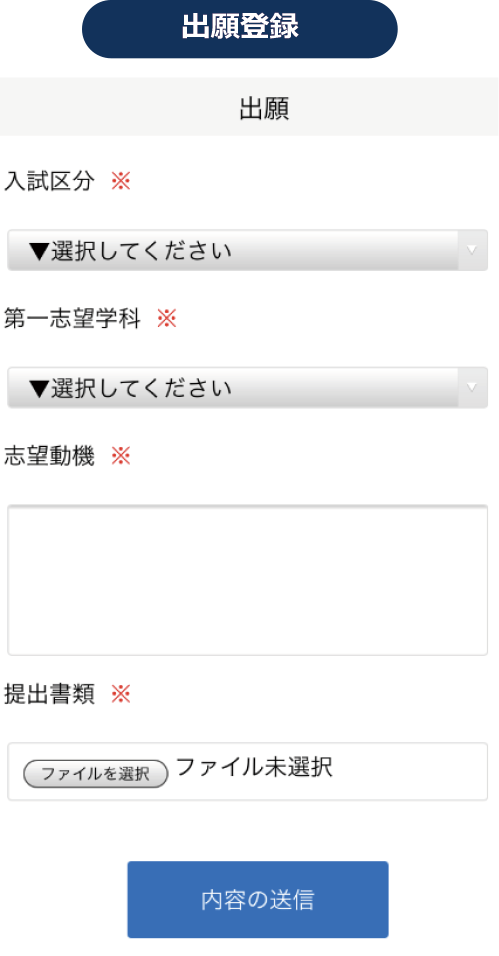
Follow the instructions on the screen to complete the input items. You will need to attach documents to submit, so please prepare them.
A notification will be sent to the email address you registered, so please follow the instructions.
Mailing of documents
Please place the documents listed on your My Page in an envelope and mail them to the address below by registered mail or express mail from your post office during the application period. (Must arrive within the application period.)
- Tsuji Gakuen Culinary and Confectionery College
-
〒530-0047
大阪府大阪市北区西天満1-3-17
Examination (※Only for those applying for the scholarship program)
You will be sent an admission ticket by post, so please be sure to bring it with you on the day of the exam.

Checking the results
You will be notified by mail regarding the results.
Successful applicants will be sent a letter of acceptance and the necessary documents for enrollment.